
User roles overview
The Dog Gurus provides a range of user roles and permissions, allowing businesses to assign and access learning.
| Role | Role permissions and description |
| Owner | Full access to everything in manager role, plus business onboarding |
| Manager | View and add staff, add and view staff assignments, view business profile and metrics, access AI companion |
| Employee | View and complete assigned learning plans |
Adding a new user
Only users with Owner and Manager role are able to add new users to a business. To add a new user:
- Visit My Staff and select Add Employee
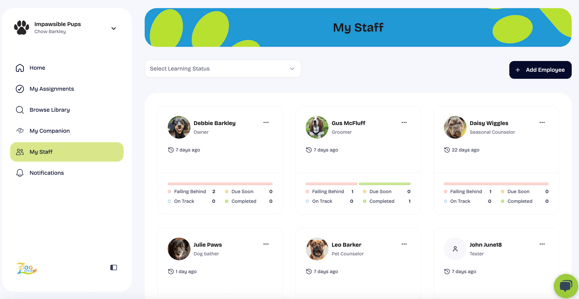
- For each employee added, you will be required to provide First Name, Last Name, Email Address, Title, and Role. You will have the option to assign learning plans and set deadlines as part of new employee invitation workflow.
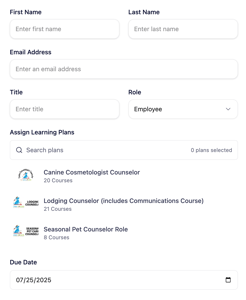
- Users will receive an automated notification inviting them to set-up their account and join your business.