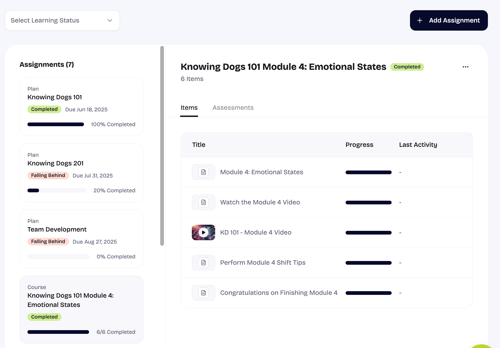
Monitoring your team's progress for their completion on assignments and motivating them towards learning completion and retention is a core part of the Dog Gurus experience. You can check progress across specific Plans or Courses.
Below you will find an overview
Staff Training
Within the Home, you will find a Staff Training overview that provides high-level details on the employee progress on assignments broken down by Learning Status: Falling Behind, Due Soon, On Track, or Completed.
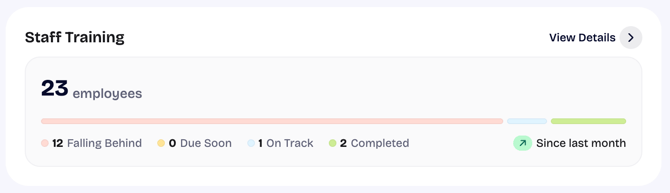
Selecting View Details will take you to you to My Staff (https://app.thedoggurus.com/owner/staff).
My Staff
Assignment progress for a specific employee can by viewed on My Staff (https://app.thedoggurus.com/owner/staff). Here you will find both a snapshot of employee progress and deep-dive into specific assignment progress.
Employee snapshot
At My Staff you can view an employee level snapshot across Learning status in addition to viewing the last date the employee logged into the platform.
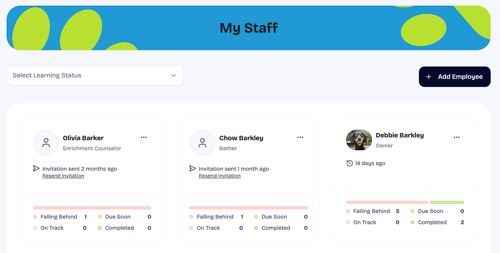
Employee progress breakdown
The employee progress breakdown provides details on all assignments an employee has received including plans, courses, and items. To view progress for a specific employee:
- Click on the employee name
- Here you can filter by Learning Status or view what specific items or courses have been completed including the Last Activity date