
Overview
Leverage Events to view and join events included in your Dog Gurus subscription. No more digging through emails or waiting for replies — discover upcoming office hours, webinars, and training sessions right where you're already working.
How it works
To view events:
- Navigate to Events at https://app.thedoggurus.com/events
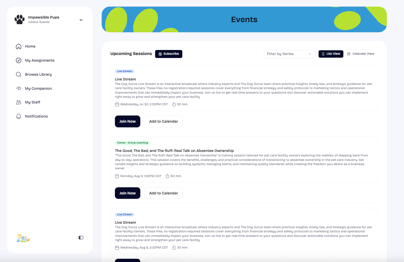
- By default, you will see a List View of all upcoming events.
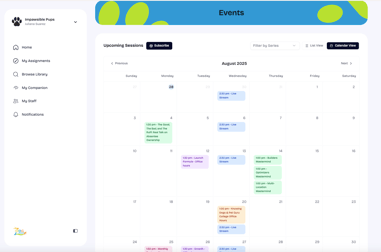
- To switch to Calendar View, select Calendar View on the upper right hand corner.
- Join Now will open up a link at which you can either join a live event or register to attend.
- If you would like to add the event to your calendar, select Add to Calendar.
|
List View
|
Calendar View
|
Subscribe to events
Subscribing to upcoming sessions downloads a .ics file that you can open in your calendar application. To subscribe to Upcoming Sessions:
- Select Subscribe
- Once the .ics file has downloaded, select Open Calendar to add events to your calendar.
- Note, event updates on https://app.thedoggurus.com/events will be reflected in your calendar.